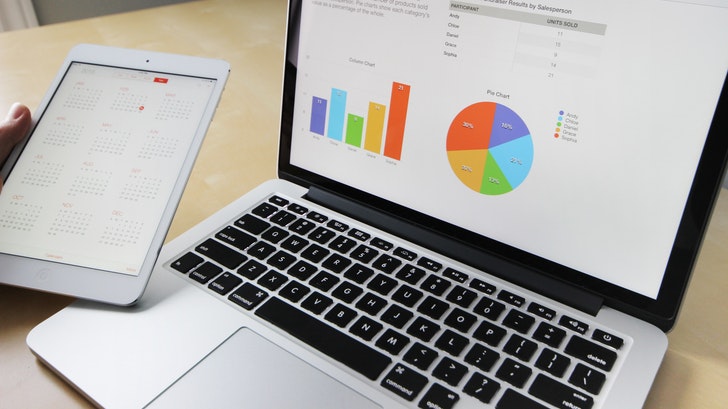
ในยุคแห่งข้อมูล ใครที่รู้จักใช้ข้อมูลย่อมได้เปรียบ โดยใช้เครื่องมือที่เรียกกันว่า Big Data และ Data Analytics เริ่มจากสิ่งที่ใกล้ตัวเราก่อนอย่างการช้อปปิ้งออนไลน์ ไปจนถึงแคมเปญหาเสียงที่ดังที่สุดในโลกของโดนัลทรัมป์...
Read More4 วัน
100,000 บาท (อบรมไม่เกิน 10 ท่าน)
In-house
ติดต่อเรา
| 1. Getting Started with Pentaho Data Integration | |
| Pentaho Data Integration and Pentaho BI Suite | |
| Installing PDI | |
| Launching the PDI Graphical Designer – Spoon | |
| Introducing transformations | |
| Installing useful related software | |
| 2. Getting Started with Transformations | |
| Designing and previewing transformations | |
| Understanding PDI data and metadata | |
| Handling errors | |
| 3. Creating Basic Task Flows | |
| Introducing jobs | |
| Designing and running jobs | |
| Running transformations from a Job | |
| Understanding and changing the flow of execution | |
| Managing files | |
| Knowing the basics about Kettle variables | |
| 4. Reading and Writing Files | |
| Reading data from files | |
| Outputting data to files | |
| Working with Big Data and cloud sources (AWS S3, HDFS) |
| 5. Manipulating PDI Data and Metadata | |
| Manipulating simple fields | |
| Working with complex structures | |
| 6. Controlling the Flow of Data | |
| Filtering data | |
| Splitting streams unconditionally | |
| Splitting the stream based on conditions | |
| Merging streams in several ways | |
| Looking up data | |
| 7. Cleansing, Validating, and Fixing Data | |
| Cleansing data | |
| Validating data | |
| Treating invalid data by splitting and merging streams | |
| 8. Manipulating Data by Coding | |
| Doing simple tasks with the JavaScript step | |
| Parsing unstructured files with JavaScript | |
| Doing simple tasks with the Java Class step | |
| Getting the most out of the Java Class step | |
| Avoiding coding using purpose-built steps |
| 9. Transforming the Dataset | |
| Sorting data | |
| Working on groups of rows | |
| Converting rows to columns | |
| Normalizing data | |
| Going forward and backward across rows | |
| 10. Performing Basic Operations with Databases | |
| Connecting to a database and exploring its content | |
| Previewing and getting data from a database | |
| Inserting, updating, and deleting data | |
| Verifying a connection, running DDL scripts, and doing other useful tasks | |
| Looking up data in different ways | |
| 11. Loading Data Marts with PDI | |
| Preparing the environment | |
| Introducing dimensional modeling | |
| Loading dimensions with data | |
| Loading fact tables | |
| 12. Creating Portable and Reusable Transformations | |
| Defining and using Kettle variables | |
| Creating reusable Transformations | |
| Making the data flow between transformations | |
| Executing transformations in an iterative way |
| 13. Implementing Metadata Injection | |
| Introducing metadata injection | |
| Discovering metadata and injecting it | |
| Identifying use cases to implement metadata injection | |
| 14. Creating Advanced Jobs | |
| Enhancing your processes with the use of variables | |
| Accessing copied rows for different purposes | |
| Working with filelists | |
| Executing jobs in an iterative way | |
| 15. Launching Transformations and Jobs from the Command Line | |
| Using the Pan and Kitchen utilities | |
| Supplying named parameters and variables | |
| Using command-line arguments | |
| Sending the output of executions to log files | |
| Automating the execution | |
| 16. Best Practices for Designing and Deploying a PDI Project | |
| Setting up a new project | |
| Best practices to design jobs and transformations | |
| Maximizing the performance | |
| Deploying the project in different environments | |
| 1. Getting Started with Pentaho Data Integration | |
| Pentaho Data Integration and Pentaho BI Suite | |
| Installing PDI | |
| Launching the PDI Graphical Designer – Spoon | |
| Introducing transformations | |
| Installing useful related software | |
| 2. Getting Started with Transformations | |
| Designing and previewing transformations | |
| Understanding PDI data and metadata | |
| Handling errors | |
| 3. Creating Basic Task Flows | |
| Introducing jobs | |
| Designing and running jobs | |
| Running transformations from a Job | |
| Understanding and changing the flow of execution | |
| Managing files | |
| Knowing the basics about Kettle variables | |
| 4. Reading and Writing Files | |
| Reading data from files | |
| Outputting data to files | |
| Working with Big Data and cloud sources (AWS S3, HDFS) |
| 5. Manipulating PDI Data and Metadata | |
| Manipulating simple fields | |
| Working with complex structures | |
| 6. Controlling the Flow of Data | |
| Filtering data | |
| Splitting streams unconditionally | |
| Splitting the stream based on conditions | |
| Merging streams in several ways | |
| Looking up data | |
| 7. Cleansing, Validating, and Fixing Data | |
| Cleansing data | |
| Validating data | |
| Treating invalid data by splitting and merging streams | |
| 8. Manipulating Data by Coding | |
| Doing simple tasks with the JavaScript step | |
| Parsing unstructured files with JavaScript | |
| Doing simple tasks with the Java Class step | |
| Getting the most out of the Java Class step | |
| Avoiding coding using purpose-built steps |
| 9. Transforming the Dataset | |
| Sorting data | |
| Working on groups of rows | |
| Converting rows to columns | |
| Normalizing data | |
| Going forward and backward across rows | |
| 10. Performing Basic Operations with Databases | |
| Connecting to a database and exploring its content | |
| Previewing and getting data from a database | |
| Inserting, updating, and deleting data | |
| Verifying a connection, running DDL scripts, and doing other useful tasks | |
| Looking up data in different ways | |
| 11. Loading Data Marts with PDI | |
| Preparing the environment | |
| Introducing dimensional modeling | |
| Loading dimensions with data | |
| Loading fact tables | |
| 12. Creating Portable and Reusable Transformations | |
| Defining and using Kettle variables | |
| Creating reusable Transformations | |
| Making the data flow between transformations | |
| Executing transformations in an iterative way |
| 13. Implementing Metadata Injection | |
| Introducing metadata injection | |
| Discovering metadata and injecting it | |
| Identifying use cases to implement metadata injection | |
| 14. Creating Advanced Jobs | |
| Enhancing your processes with the use of variables | |
| Accessing copied rows for different purposes | |
| Working with filelists | |
| Executing jobs in an iterative way | |
| 15. Launching Transformations and Jobs from the Command Line | |
| Using the Pan and Kitchen utilities | |
| Supplying named parameters and variables | |
| Using command-line arguments | |
| Sending the output of executions to log files | |
| Automating the execution | |
| 16. Best Practices for Designing and Deploying a PDI Project | |
| Setting up a new project | |
| Best practices to design jobs and transformations | |
| Maximizing the performance | |
| Deploying the project in different environments | |
4 วัน
100,000 บาท (อบรมไม่เกิน 10 ท่าน)
In-house
ติดต่อเรา
| 1. Getting Started with Pentaho Data Integration | |
| Pentaho Data Integration and Pentaho BI Suite | |
| Installing PDI | |
| Launching the PDI Graphical Designer – Spoon | |
| Introducing transformations | |
| Installing useful related software | |
| 2. Getting Started with Transformations | |
| Designing and previewing transformations | |
| Understanding PDI data and metadata | |
| Handling errors | |
| 3. Creating Basic Task Flows | |
| Introducing jobs | |
| Designing and running jobs | |
| Running transformations from a Job | |
| Understanding and changing the flow of execution | |
| Managing files | |
| Knowing the basics about Kettle variables | |
| 4. Reading and Writing Files | |
| Reading data from files | |
| Outputting data to files | |
| Working with Big Data and cloud sources (AWS S3, HDFS) |
| 5. Manipulating PDI Data and Metadata | |
| Manipulating simple fields | |
| Working with complex structures | |
| 6. Controlling the Flow of Data | |
| Filtering data | |
| Splitting streams unconditionally | |
| Splitting the stream based on conditions | |
| Merging streams in several ways | |
| Looking up data | |
| 7. Cleansing, Validating, and Fixing Data | |
| Cleansing data | |
| Validating data | |
| Treating invalid data by splitting and merging streams | |
| 8. Manipulating Data by Coding | |
| Doing simple tasks with the JavaScript step | |
| Parsing unstructured files with JavaScript | |
| Doing simple tasks with the Java Class step | |
| Getting the most out of the Java Class step | |
| Avoiding coding using purpose-built steps |
| 9. Transforming the Dataset | |
| Sorting data | |
| Working on groups of rows | |
| Converting rows to columns | |
| Normalizing data | |
| Going forward and backward across rows | |
| 10. Performing Basic Operations with Databases | |
| Connecting to a database and exploring its content | |
| Previewing and getting data from a database | |
| Inserting, updating, and deleting data | |
| Verifying a connection, running DDL scripts, and doing other useful tasks | |
| Looking up data in different ways | |
| 11. Loading Data Marts with PDI | |
| Preparing the environment | |
| Introducing dimensional modeling | |
| Loading dimensions with data | |
| Loading fact tables | |
| 12. Creating Portable and Reusable Transformations | |
| Defining and using Kettle variables | |
| Creating reusable Transformations | |
| Making the data flow between transformations | |
| Executing transformations in an iterative way |
| 13. Implementing Metadata Injection | |
| Introducing metadata injection | |
| Discovering metadata and injecting it | |
| Identifying use cases to implement metadata injection | |
| 14. Creating Advanced Jobs | |
| Enhancing your processes with the use of variables | |
| Accessing copied rows for different purposes | |
| Working with filelists | |
| Executing jobs in an iterative way | |
| 15. Launching Transformations and Jobs from the Command Line | |
| Using the Pan and Kitchen utilities | |
| Supplying named parameters and variables | |
| Using command-line arguments | |
| Sending the output of executions to log files | |
| Automating the execution | |
| 16. Best Practices for Designing and Deploying a PDI Project | |
| Setting up a new project | |
| Best practices to design jobs and transformations | |
| Maximizing the performance | |
| Deploying the project in different environments | |
ด้วยสาระน่ารู้ต่างๆจากเรา Going Jesse Co., Ltd.
ในยุคแห่งข้อมูล ใครที่รู้จักใช้ข้อมูลย่อมได้เปรียบ โดยใช้เครื่องมือที่เรียกกันว่า Big Data และ Data Analytics เริ่มจากสิ่งที่ใกล้ตัวเราก่อนอย่างการช้อปปิ้งออนไลน์ ไปจนถึงแคมเปญหาเสียงที่ดังที่สุดในโลกของโดนัลทรัมป์...
Read Moreยุคนี้เป็นยุคที่เทคโนโลยีใหม่ ๆ เข้ามามีบทบาทในชีวิตเรามากขึ้นเรื่อย ๆ ดิจิทัลเทคโนโลยีได้เปลี่ยน Business Landscape ให้ต่างไปจากเดิมทำให้ Operating Model การทำธุรกิจต้องเปลี่ยนตามไปด้วย วิธีการทำงานจะกลายเป็นดิจิทัล...

Read Moreเรื่องเกี่ยวกับ Data Science ว่ามันคืออะไร ทำให้คนถึงพูดถึงกันเยอะ และมันสำคัญอย่างไรต่อโลกธุรกิจ ออกตัวก่อนว่าผมเองทำงานในด้าน Data แต่ก็ไม่ได้ครอบคลุมทั้งหมดใน Data Science (เพราะมันกว้างมากๆ)...

Read MoreWhat are you looking for?